Expense Management
Preschool & Daycare Expense Tracker: Control Every Cost
Log, categorize, and monitor all school expenses in one place. Get clear financial visibility and make smarter decisions.
FEATURES
Everything You Need to Manage School Expenses
From daily entries to monthly reports — complete expense visibility.
Expense Logging
Record daily operational expenses quickly with a simple and intuitive interface.
Category-wise Tracking
Organize expenses by type — staff, supplies, utilities, and more — for clear visibility.
Budget vs Actual Reports
Compare planned vs actual spending to stay on top of your financial targets.
Vendor Management
Track recurring vendor payments and maintain a consolidated vendor history.
Digital Receipts & Invoices
Attach receipts and invoices directly to expense entries for easy auditing.
Monthly Expense Summary
Download monthly expense reports for accounting and financial planning.
SEE IT IN ACTION
Every School Expense, in One Place
Approve and review spends from the admin dashboard, and let staff submit expenses on the go from their phone.
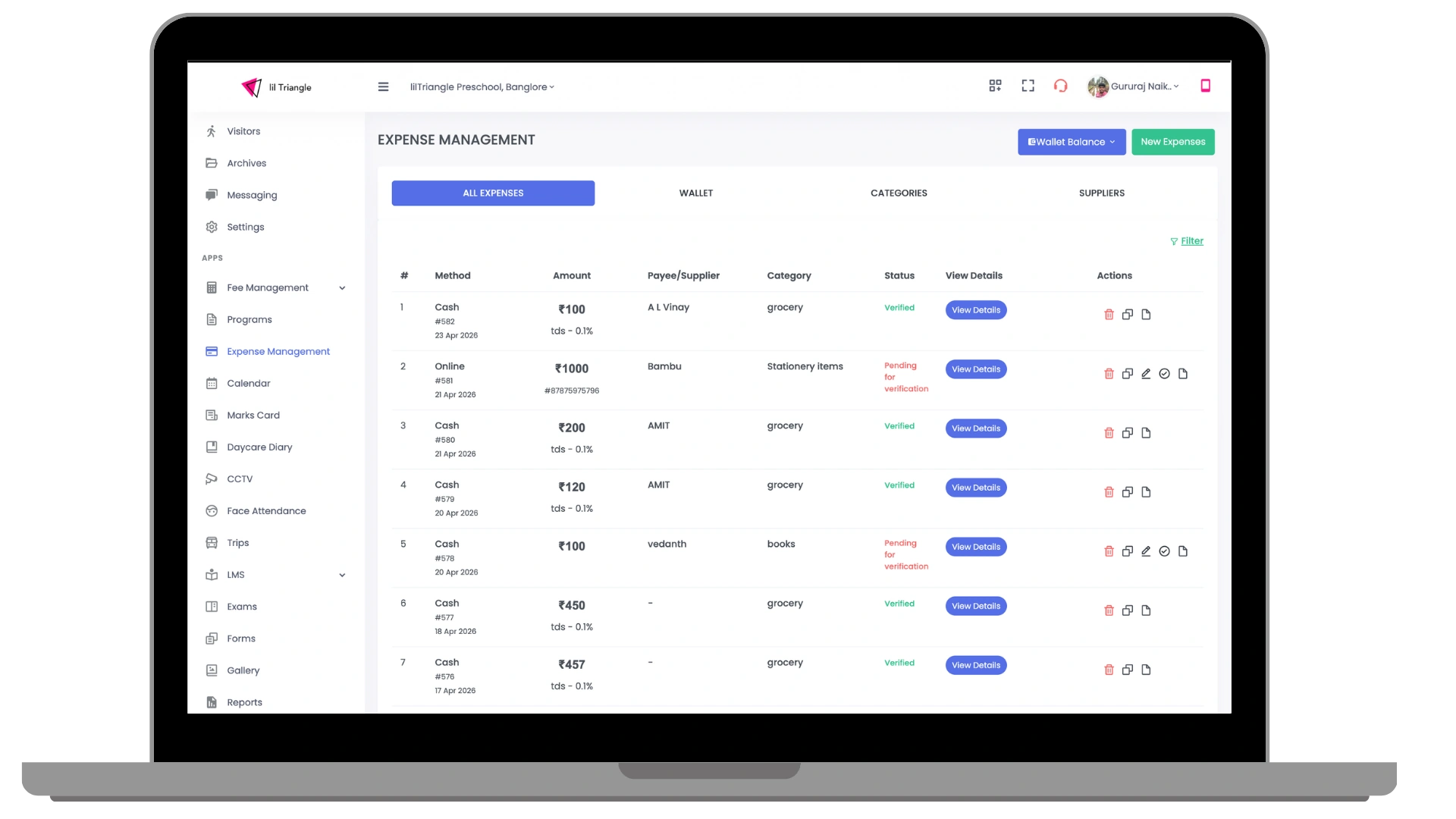
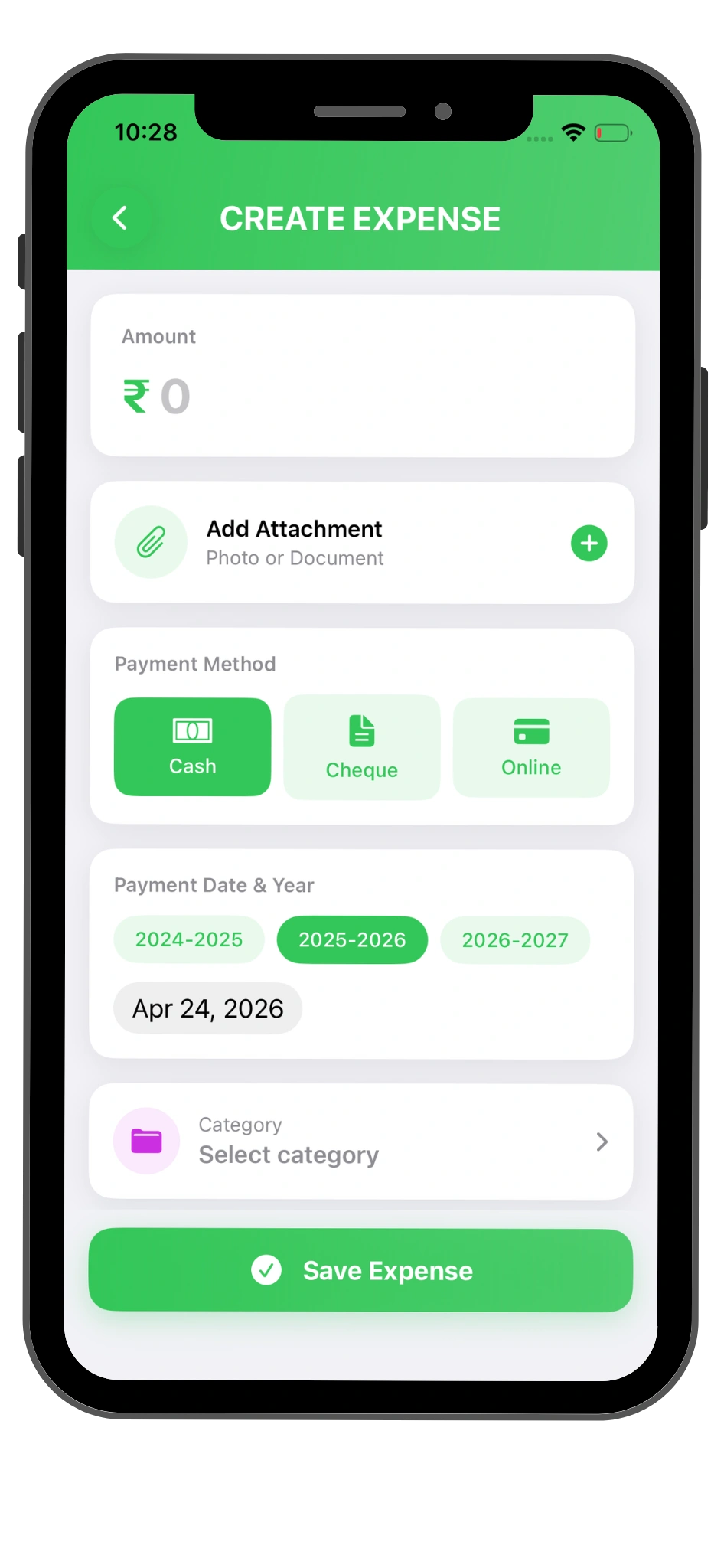
EXPENSE TRACKER GUIDE
Why Your Preschool or Daycare Needs an Expense Tracker
Small daily costs are easy to miss when they sit across bills, notebooks and messages. A preschool expense tracker records each cost in one place, so you can see where your money goes and compare it with your plan before the month ends.
What a daycare expense tracker should record
Set up categories that match how your preschool or daycare spends money, and keep the proof with each entry.
- Staff, supplies, utilities and other categories that suit your school
- Recurring vendor payments and vendor history
- Receipts and invoices attached to each entry
- Planned spending compared with actual spending
- A monthly summary to share for accounting and planning
A simple routine for your team
Staff submit expenses from their phones, and administrators review and approve them from the dashboard. Keeping entries current means your monthly report is ready to download, without collecting paper bills at the end of the month.
Frequently Asked Questions
What is the best way to track daycare expenses?
Record each expense when it happens, group it by category and attach the receipt. lilTriangle keeps these records together and creates monthly summaries.
Can staff submit expenses from their phones?
Yes. Staff can submit expenses on the go, and administrators can review them from the dashboard.
Can I compare my budget with actual spending?
Yes. Budget vs actual reports help you compare planned and actual spending.
Can I download expense reports for my accountant?
Yes. You can download monthly expense reports for accounting and financial planning.
Keep Reading
Stop guessing where your money goes.
Get complete financial visibility and take control of every rupee your school spends.